Category: Business Improvement and Transformation

Business Improvement and Transformation

  • 5 Questions to Ask About Techquilibrium

    Techquilibrium refers to the delicate balance that organizations must strike between adopting new and emerging technologies and maintaining stability and security in their existing technology landscape. In today’s rapidly evolving digital era, organizations face a constant influx of technological advancements, from artificial intelligence and cloud computing to internet of things (IoT) and blockchain. Achieving Techquilibrium is essential to avoid tech-induced disruptions and to ensure that technology investments align with business objectives.

    Balancing Innovation and Stability

    1. Innovation Adoption: Embracing new technologies and innovation is vital for staying competitive and meeting customer demands in the digital age.
    2. Legacy Systems: Legacy systems, while stable, can become a hindrance to progress and innovation if not updated or integrated with newer technologies.
    3. Security and Risk: Adopting new technologies can introduce security risks, making it crucial to strike a balance between innovation and data protection.
    4. Cost Considerations: Organizations must evaluate the costs of adopting new technologies against the potential benefits they bring.
    5. Organizational Culture: The willingness to embrace change and new technologies is influenced by the organization’s culture and its adaptability to new ways of working.

    The Pros of Techquilibrium

    1. Agility and Innovation: Techquilibrium allows organizations to be agile and embrace innovation while keeping core systems stable.
    2. Competitive Advantage: Striking the right balance helps organizations maintain a competitive edge in the market through strategic technology adoption.
    3. Security and Stability: Techquilibrium ensures that security and stability are not compromised in the pursuit of innovation.
    4. Scalability: By carefully managing technology investments, organizations can scale their operations effectively.
    5. Customer-Centricity: Techquilibrium allows organizations to focus on customer needs and deliver value through the right mix of technologies.

    The Cons of Techquilibrium

    1. Lack of Innovation: Overemphasizing stability may result in missed opportunities for innovation and digital transformation.
    2. Competitive Disadvantage: Failing to keep up with technological advancements can lead to a competitive disadvantage.
    3. Technology Debt: Avoiding necessary technology updates may accumulate “technology debt,” making future upgrades more challenging.
    4. Resistance to Change: Some stakeholders may resist adopting new technologies, leading to slow progress and missed opportunities.
    5. Disruption from External Forces: External factors, such as industry disruptions or market changes, can challenge an organization’s Techquilibrium strategy.

    Intriguing Questions about Techquilibrium

    1. Who: Who within an organization is responsible for finding the right balance between technology adoption and stability?
    2. What: What are some real-life examples of organizations that have successfully achieved Techquilibrium, and how did they do it?
    3. Where: Where does Techquilibrium play a significant role – in startups, established enterprises, or specific industries?
    4. When: When should organizations reevaluate their Techquilibrium strategy, and what are the indicators that it needs adjustment?
    5. Why: Why is Techquilibrium essential for organizations in the rapidly evolving digital landscape, and what are the consequences of not achieving it?

    Conclusion

    Techquilibrium is a strategic approach that allows organizations to strike the right balance between innovation and stability in the technology landscape. By carefully evaluating technology investments, considering security and scalability, and fostering a culture of adaptability, organizations can achieve a state of Techquilibrium that enables them to embrace digital transformation while safeguarding their core systems and data. In an ever-changing technological landscape, Techquilibrium becomes a crucial aspect of an organization’s success, ensuring that they remain agile, customer-centric, and competitive in the digital era.
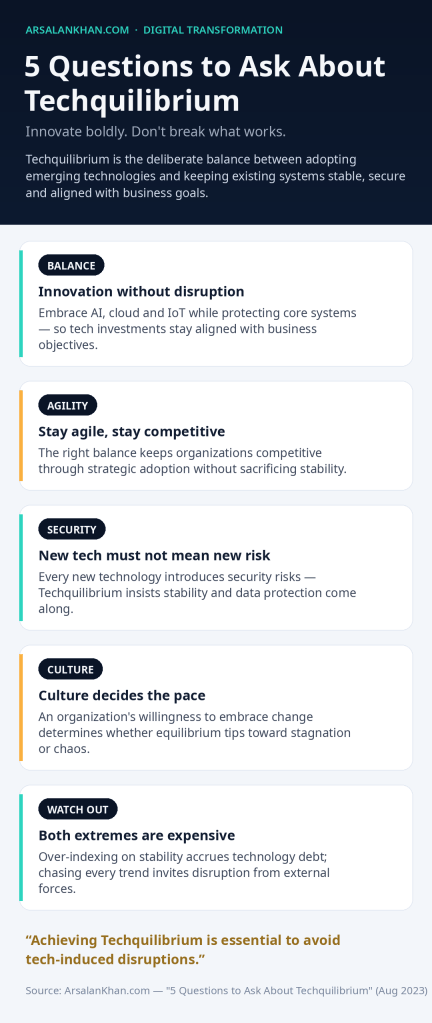
    Infographic: 5 Questions to Ask About Techquilibrium
  • 5 Questions to Ask About Total Cost of Ownership (TCO)

    Total Cost of Ownership (TCO) is a financial metric used to assess the overall cost of acquiring, deploying, operating, and maintaining a technology or asset over its entire lifecycle. It goes beyond the initial purchase price and includes both direct and indirect costs associated with owning and using the technology. TCO analysis helps organizations make informed decisions by considering the long-term financial implications of their technology investments.

    Components of Total Cost of Ownership

    1. Acquisition Costs: This includes the initial purchase price of the technology, including any licensing fees or hardware costs.
    2. Implementation Costs: These costs cover the expenses associated with deploying and configuring the technology, such as installation, training, and data migration.
    3. Operating Costs: Operating costs involve ongoing expenses to keep the technology running, including maintenance, support, and software updates.
    4. Downtime Costs: Downtime costs represent the financial impact of any system outages or downtime experienced during the technology’s lifecycle.
    5. End-of-Life Costs: End-of-life costs include expenses related to retiring or replacing the technology, including data migration and decommissioning.

    The Pros of TCO Analysis

    1. Informed Decision-Making: TCO analysis provides a comprehensive view of the long-term costs associated with technology investments, helping organizations make better decisions.
    2. Cost Optimization: Understanding the full cost of ownership enables organizations to identify areas for cost optimization and efficiency improvements.
    3. Vendor Comparison: TCO analysis allows for a fair comparison of competing technology solutions, considering all relevant costs.
    4. Budgeting and Forecasting: TCO analysis aids in accurate budgeting and forecasting for technology investments.
    5. Risk Mitigation: By considering potential downtime costs and end-of-life expenses, TCO analysis helps mitigate financial risks.

    The Cons of TCO Analysis

    1. Complexity: Calculating the total cost of ownership can be complex, especially for large and multifaceted technology implementations.
    2. Data Accuracy: TCO analysis relies on accurate data for cost estimation, and obtaining precise data can be challenging.
    3. Variable Factors: Some factors, such as maintenance costs and downtime expenses, may be difficult to predict accurately.
    4. Time-Consuming: Conducting a thorough TCO analysis may require significant time and effort, especially for complex technology solutions.
    5. Changing Technology Landscape: The rapid pace of technological advancements can make TCO projections less reliable over extended periods.

    Intriguing Questions about Total Cost of Ownership

    1. Who: Who within an organization is typically responsible for conducting TCO analysis – finance teams, IT departments, or project managers?
    2. What: What are some key factors that organizations often overlook when calculating the total cost of ownership?
    3. Where: Where does TCO analysis have the most significant impact – in technology-intensive industries, cloud-based solutions, or traditional on-premises setups?
    4. When: When should organizations conduct TCO analysis – during technology procurement, after implementation, or at regular intervals?
    5. Why: Why is TCO analysis crucial for ensuring that technology investments align with organizational goals and deliver long-term value?

    Conclusion

    Total Cost of Ownership analysis is a valuable tool for organizations to assess the real cost of technology investments beyond the initial purchase price. By considering all aspects of technology ownership, including acquisition, implementation, operation, and end-of-life costs, organizations can make well-informed decisions, optimize their technology investments, and mitigate financial risks. While TCO analysis may have some challenges, its benefits in guiding cost-effective technology decisions and enhancing financial planning make it an indispensable practice for organizations seeking to make the most of their technology investments.

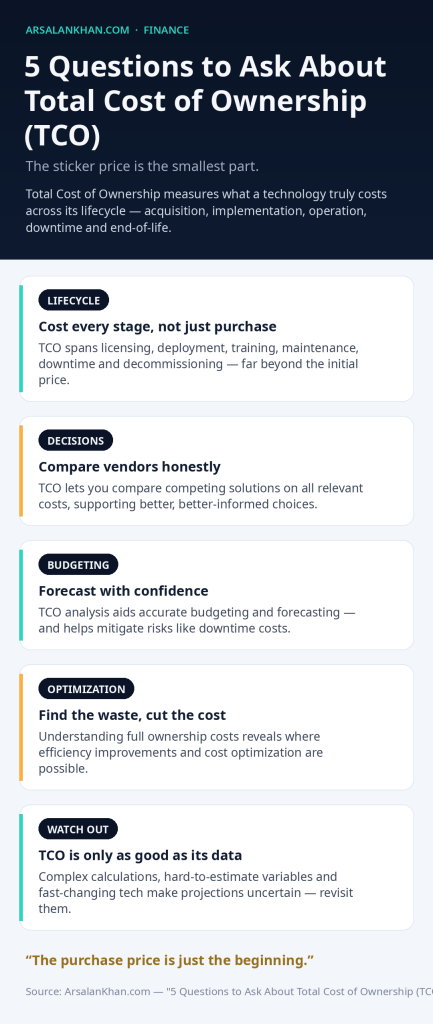
    Infographic: 5 Questions to Ask About Total Cost of Ownership (TCO)
  • 5 Questions to Ask About Text Analytics

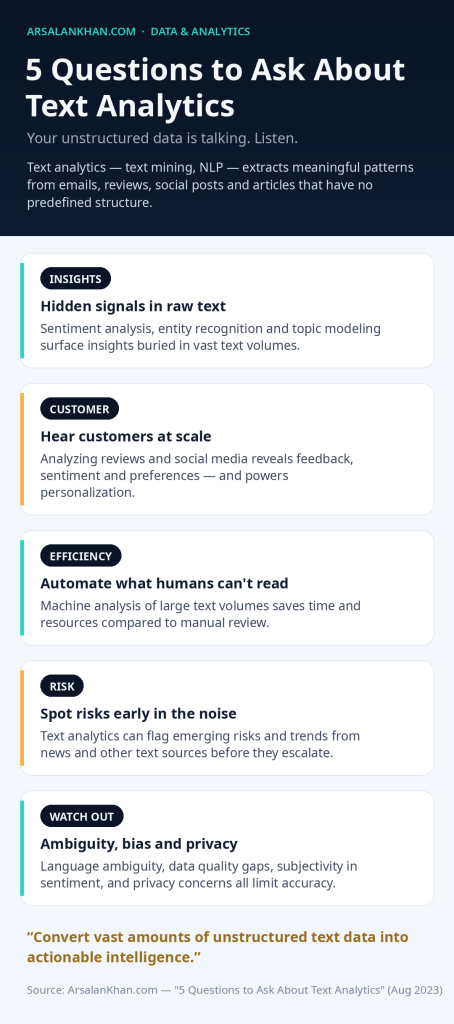
    Text analytics, also known as text mining or natural language processing (NLP), is a data analysis technique that involves extracting meaningful insights and patterns from unstructured text data. Unstructured text data includes emails, social media posts, customer reviews, news articles, and other text-based content that lacks a predefined structure. Text analytics uses various computational linguistics and machine learning techniques to analyze and process large volumes of text data, providing valuable information to businesses and researchers.

    Key Components of Text Analytics

    1. Text Preprocessing: This step involves cleaning and preparing the text data by removing punctuation, stop words, and converting the text to lowercase.
    2. Tokenization: Tokenization breaks down the text into individual words or tokens, making it easier for analysis.
    3. Sentiment Analysis: Sentiment analysis determines the sentiment or emotion expressed in a piece of text, such as positive, negative, or neutral.
    4. Named Entity Recognition: Named Entity Recognition (NER) identifies and categorizes entities in the text, such as names of people, organizations, or locations.
    5. Topic Modeling: Topic modeling groups similar documents together based on the themes or topics they cover.

    The Pros of Text Analytics

    1. Actionable Insights: Text analytics uncovers valuable insights hidden in unstructured text data, leading to better decision-making and improved business strategies.
    2. Efficiency: Automating the analysis of large volumes of text data saves time and resources compared to manual analysis.
    3. Customer Understanding: Text analytics helps businesses understand customer feedback, sentiments, and preferences from social media and reviews.
    4. Risk Detection: Text analytics can identify potential risks and emerging trends from news articles and other text sources.
    5. Personalization: Understanding customer preferences through text analytics enables personalized marketing and customer experiences.

    The Cons of Text Analytics

    1. Ambiguity: Natural language can be ambiguous, leading to challenges in accurately interpreting the meaning of text data.
    2. Language Diversity: Different languages, dialects, and slang pose challenges for multilingual text analytics.
    3. Data Quality: Text data from various sources may have quality issues, affecting the accuracy of analysis results.
    4. Subjectivity: Sentiment analysis and topic modeling can be subjective and may not always accurately reflect human emotions or themes.
    5. Privacy Concerns: Analyzing text data raises privacy concerns, particularly when dealing with personal or sensitive information.

    Intriguing Questions about Text Analytics

    1. Who: Who are the key users of text analytics in various industries, and how do they leverage it to drive insights?
    2. What: What are some of the most significant breakthroughs or use cases of text analytics in recent years?
    3. Where: Where does text analytics have the most significant impact – in social media monitoring, customer service, research, or other domains?
    4. When: When is the optimal time for organizations to implement text analytics in their data analysis strategy?
    5. Why: Why is text analytics becoming increasingly important in the era of big data, and how does it complement other data analysis techniques?

    Conclusion

    Text analytics is a powerful tool that enables organizations to extract valuable insights from unstructured text data. By employing various techniques like sentiment analysis, topic modeling, and named entity recognition, businesses can gain a deeper understanding of customer preferences, emerging trends, and potential risks. While text analytics offers numerous benefits, it also comes with challenges related to language diversity, data quality, and privacy concerns. As technology continues to advance, text analytics will play a pivotal role in converting vast amounts of unstructured text data into actionable intelligence, helping organizations make data-driven decisions and gain a competitive edge in their respective industries.

    Infographic: 5 Questions to Ask About Text Analytics
  • 5 Questions to Ask About Scriptless Testing

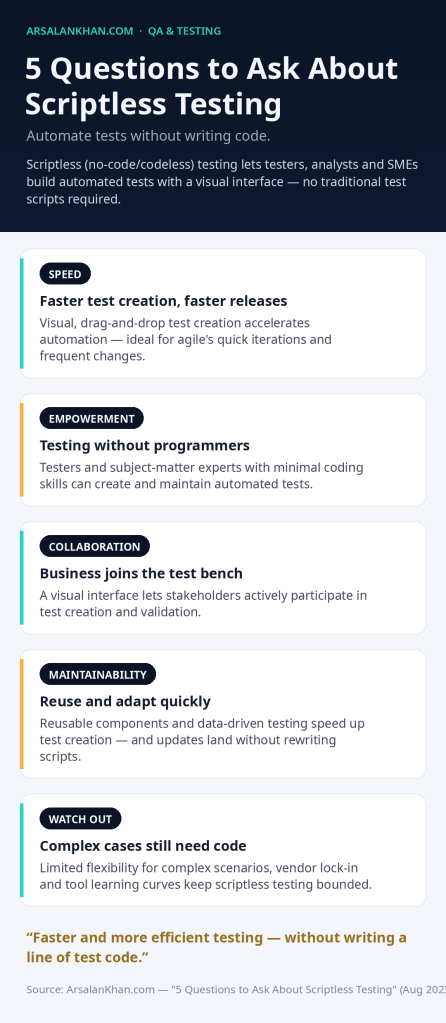
    Scriptless testing, also known as no-code testing or codeless testing, is an approach to test automation that eliminates the need for writing traditional test scripts. It enables testers, business analysts, and subject matter experts (SMEs) to create and execute automated tests using a user-friendly, visual interface, without requiring extensive programming knowledge. Scriptless testing is particularly beneficial in agile development environments, where frequent changes and quick iterations demand faster and more efficient test automation.

    How Scriptless Testing Works

    1. Visual Test Creation: Testers can create automated test scenarios using a drag-and-drop, visual interface, where they can define test steps, data inputs, and expected outcomes.
    2. Data-Driven Testing: Scriptless testing allows for easy data-driven testing, where multiple test cases can be executed with different data sets.
    3. Reusable Components: Testers can create and reuse test components, reducing redundancy and speeding up test creation.
    4. Test Maintenance: When application changes occur, scriptless testing tools provide mechanisms to update test steps quickly, without rewriting entire test scripts.
    5. Integration with Test Management: Scriptless testing tools often integrate with test management platforms, providing seamless test case management and reporting.

    The Pros of Scriptless Testing

    1. Accelerated Test Automation: Scriptless testing enables faster test creation and execution, accelerating the overall test automation process.
    2. Reduced Skill Requirements: Testers and SMEs with minimal coding experience can create and maintain automated tests effectively.
    3. Improved Collaboration: With a visual interface, business stakeholders can actively participate in test creation and validation.
    4. Agile Adaptability: Scriptless testing aligns well with agile development methodologies, allowing for quick changes and continuous testing.
    5. Test Case Reusability: Reusable test components and data-driven testing enhance test case efficiency and maintainability.

    The Cons of Scriptless Testing

    1. Limited Flexibility: Complex test scenarios may require customizations that are challenging to achieve with a scriptless approach.
    2. Vendor Lock-In: Scriptless testing tools often come with proprietary formats, potentially leading to vendor lock-in.
    3. Tool Learning Curve: While scriptless testing simplifies test creation, testers still need to learn how to use the tool effectively.
    4. Tool Compatibility: Scriptless testing tools may not be compatible with all technology stacks and applications.
    5. Maintenance Challenges: Large test suites may still require careful maintenance, especially when significant application changes occur.

    Intriguing Questions about Scriptless Testing

    1. Who: Who typically benefits the most from scriptless testing – testers, business analysts, or SMEs?
    2. What: What are some of the most popular scriptless testing tools available in the market today?
    3. Where: Where does scriptless testing fit best within the software development lifecycle – in agile sprints, regression testing, or other stages?
    4. When: When should organizations consider adopting scriptless testing, and what are the factors that influence this decision?
    5. Why: Why is scriptless testing gaining popularity, and how does it address the challenges of traditional test automation?

    Conclusion

    Scriptless testing is a valuable approach to test automation, providing a user-friendly and agile way to create, execute, and maintain automated test cases. With its visual interface and data-driven capabilities, scriptless testing empowers testers, business analysts, and SMEs to actively participate in the testing process, improving collaboration and accelerating test automation. While it may have some limitations in handling complex scenarios, scriptless testing is a valuable addition to the test automation toolkit, enabling organizations to achieve faster and more efficient testing in the dynamic world of software development.

    Infographic: 5 Questions to Ask About Scriptless Testing
  • 5 Questions to Ask About Single Sign-On (SSO)

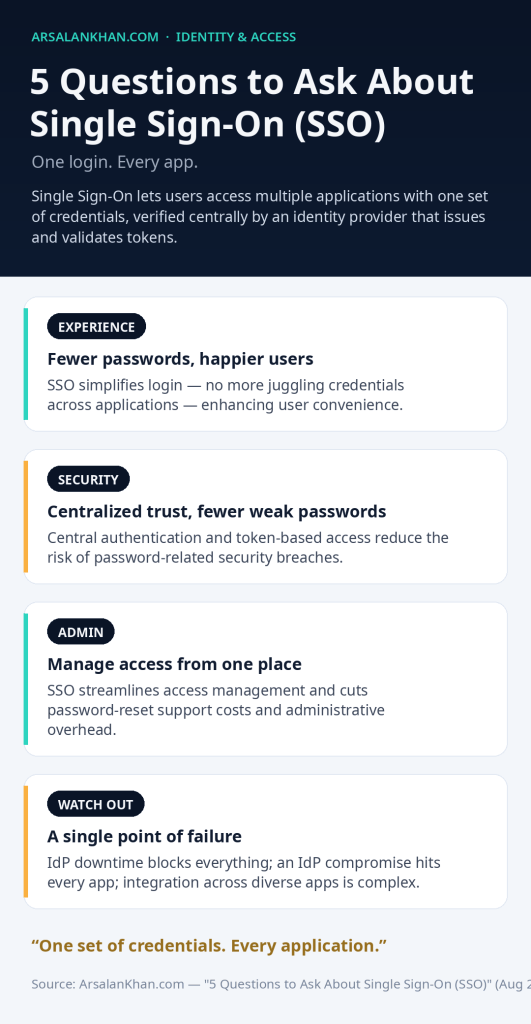
    Single Sign-On (SSO) is an authentication process that allows users to access multiple applications or services with a single set of credentials. Instead of requiring users to enter separate usernames and passwords for each application, SSO enables them to log in once and gain access to various resources seamlessly. SSO is commonly used in modern digital environments to enhance user convenience, improve security, and streamline access to multiple applications.

    How Single Sign-On Works

    1. Authentication Centralization: When a user attempts to log in to an application, the user’s credentials are sent to a centralized identity provider (IDP) for verification.
    2. Token-Based Authentication: Once the user’s identity is verified, the IDP issues a token, indicating that the user has been authenticated.
    3. Token Validation: The application validates the token provided by the IDP, granting the user access without the need for additional authentication.
    4. Session Maintenance: The user’s session is maintained by the IDP, allowing them to access other applications without re-entering their credentials.

    The Pros of Single Sign-On

    1. Enhanced User Experience: SSO simplifies the login process, reducing the need to remember multiple passwords and enhancing user convenience.
    2. Improved Security: Centralized authentication and token-based access reduce the risk of password-related security breaches.
    3. Streamlined Access Management: SSO facilitates easier management of user access rights, reducing administrative overhead.
    4. Cost Savings: SSO can lead to cost savings by reducing password-related support calls and password reset efforts.
    5. Integration Flexibility: SSO can be integrated with various authentication protocols, making it compatible with diverse application environments.

    The Cons of Single Sign-On

    1. Dependency on Identity Provider: If the SSO identity provider experiences downtime, users may be unable to access applications.
    2. Potential Single Point of Failure: A compromise of the centralized IDP could impact access to multiple applications.
    3. Compatibility Challenges: Not all applications may be compatible with the SSO technology, requiring additional configuration or customizations.
    4. User Privacy Concerns: Some users may have privacy concerns about sharing their credentials with a centralized IDP.
    5. Complex Implementation: Implementing SSO across a large and diverse application landscape can be complex and time-consuming.

    Intriguing Questions about Single Sign-On

    1. Who: Who benefits the most from SSO – end-users, IT administrators, or application developers?
    2. What: What are some potential security risks associated with implementing SSO, and how can organizations mitigate them?
    3. Where: Where is SSO most commonly implemented – in enterprise environments, cloud-based applications, or both?
    4. When: When is the optimal time for organizations to adopt SSO, and how can they transition from traditional authentication methods?
    5. Why: Why is SSO considered an essential element of modern user authentication and access management?

    Conclusion

    Single Sign-On (SSO) has become a valuable solution for simplifying user authentication in the digital era. By allowing users to access multiple applications with a single set of credentials, SSO enhances user experience, improves security, and streamlines access management for organizations. While SSO offers numerous advantages, organizations must carefully consider the potential risks and challenges associated with implementation. By selecting a robust identity provider, addressing compatibility issues, and ensuring adequate security measures, organizations can leverage the benefits of SSO while maintaining a secure and user-friendly authentication environment.

    Infographic: 5 Questions to Ask About Single Sign-On (SSO)